
Import a List of Clients
Moving an existing caseload into Quenza? Instead of adding clients one by one, you can upload a spreadsheet and bring them all in at once. You fill in a template, decide whether each client gets an invitation, and do a final check before importing.
- Open Clients, then choose Import.
- Download the template as an Excel (.xlsx) or CSV file and fill in your client data. First name, last name, and email address are required for every client.
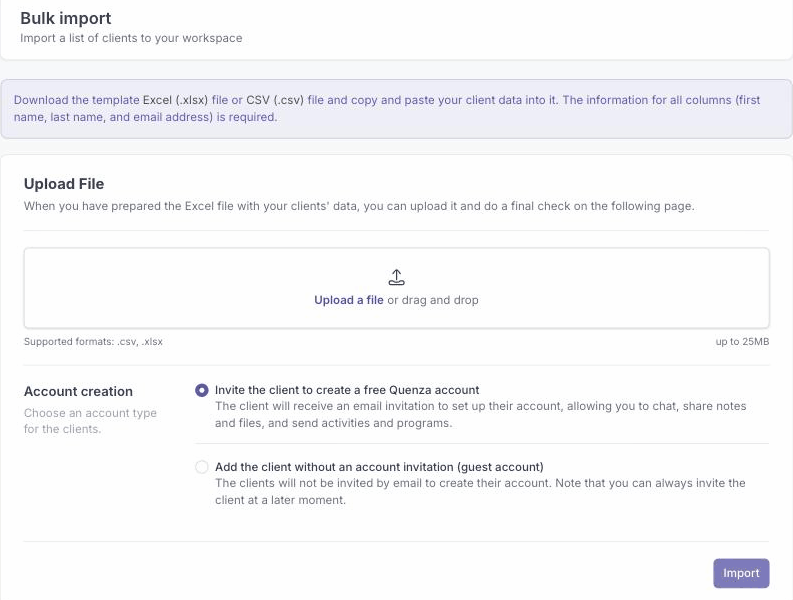
- Choose an account type for the clients:
- Invite the client to create a free Quenza account emails each client an invitation to set up their account, so you can chat, share notes and files, and send activities and programs.
- Add the client without an account invitation (guest account) adds them with no email. You can always invite them later.
- Upload your file, review the final check, and click Import.
Your clients are added to the workspace. If any rows could not be imported, the status report shows which ones, so you can fix those and upload again. If the import would take you past your client limit, Quenza prompts you to add seats or start a subscription first.