
Using Threaded Comments
Threaded comments help keep your conversations organized and contextually linked. Instead of posting a general comment, you can reply directly to a specific comment, making it easier to follow discussions and provide focused feedback.
What Are Threaded Comments
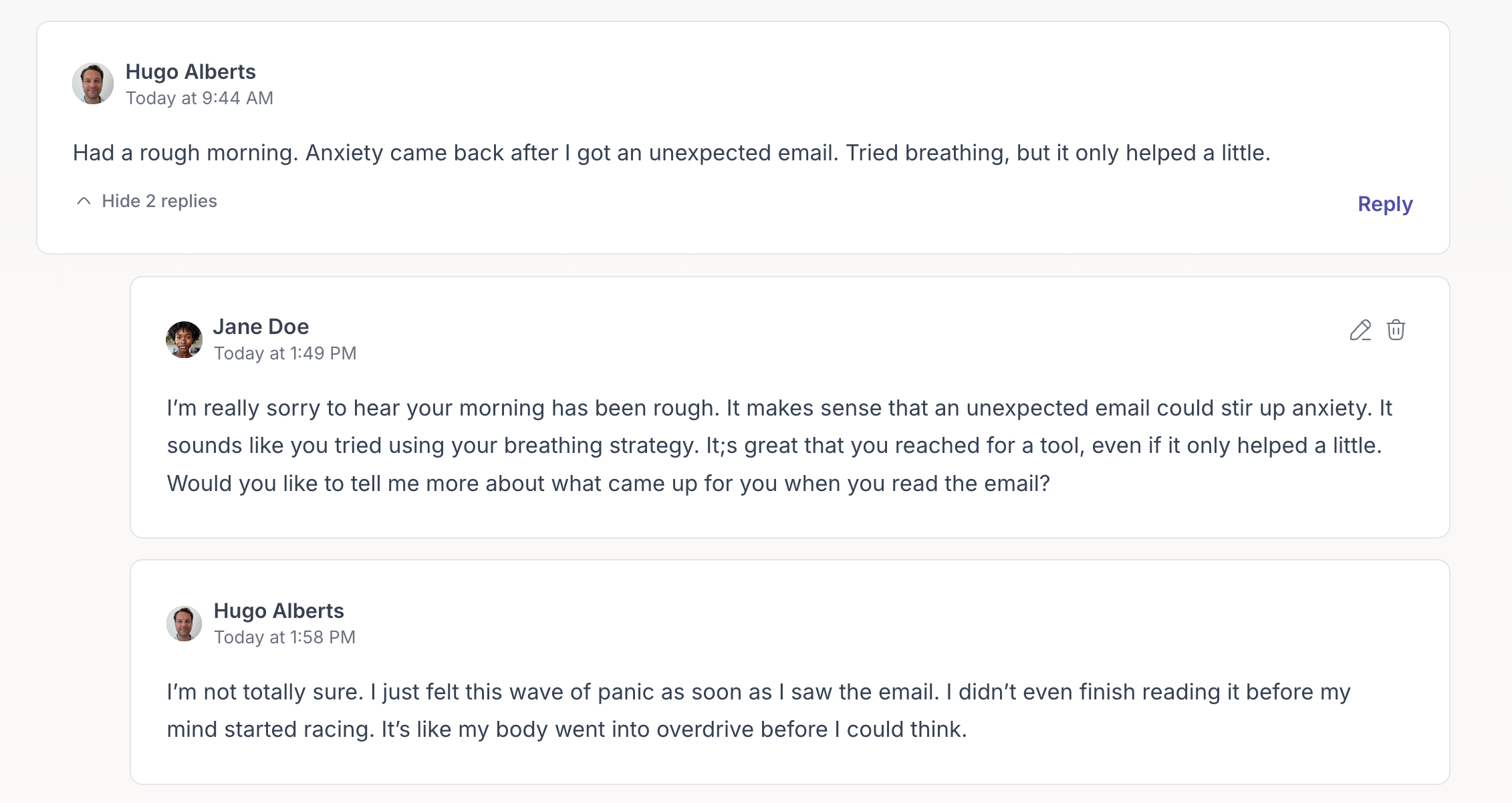
A threaded comment is a reply that appears directly beneath an existing comment. This structure helps you:
• Keep conversations clear and easy to follow
• Respond to specific feedback or questions without cluttering the main comment feed
• Maintain a natural, chronological flow of dialogue around a single topic
How to Add a Threaded Comment

- Find the comment you want to reply to. Each comment card has a Reply button on the right-hand side.
- Click “Reply.” Once you click it, the comment window will expand, allowing you to type your response directly below the original comment.
- Write your reply. Type your message in the text field and click Reply again to post it.
- View your threaded comment. Your reply will appear immediately under the original comment, indented to indicate that it’s part of the same thread.
Continuing a Thread
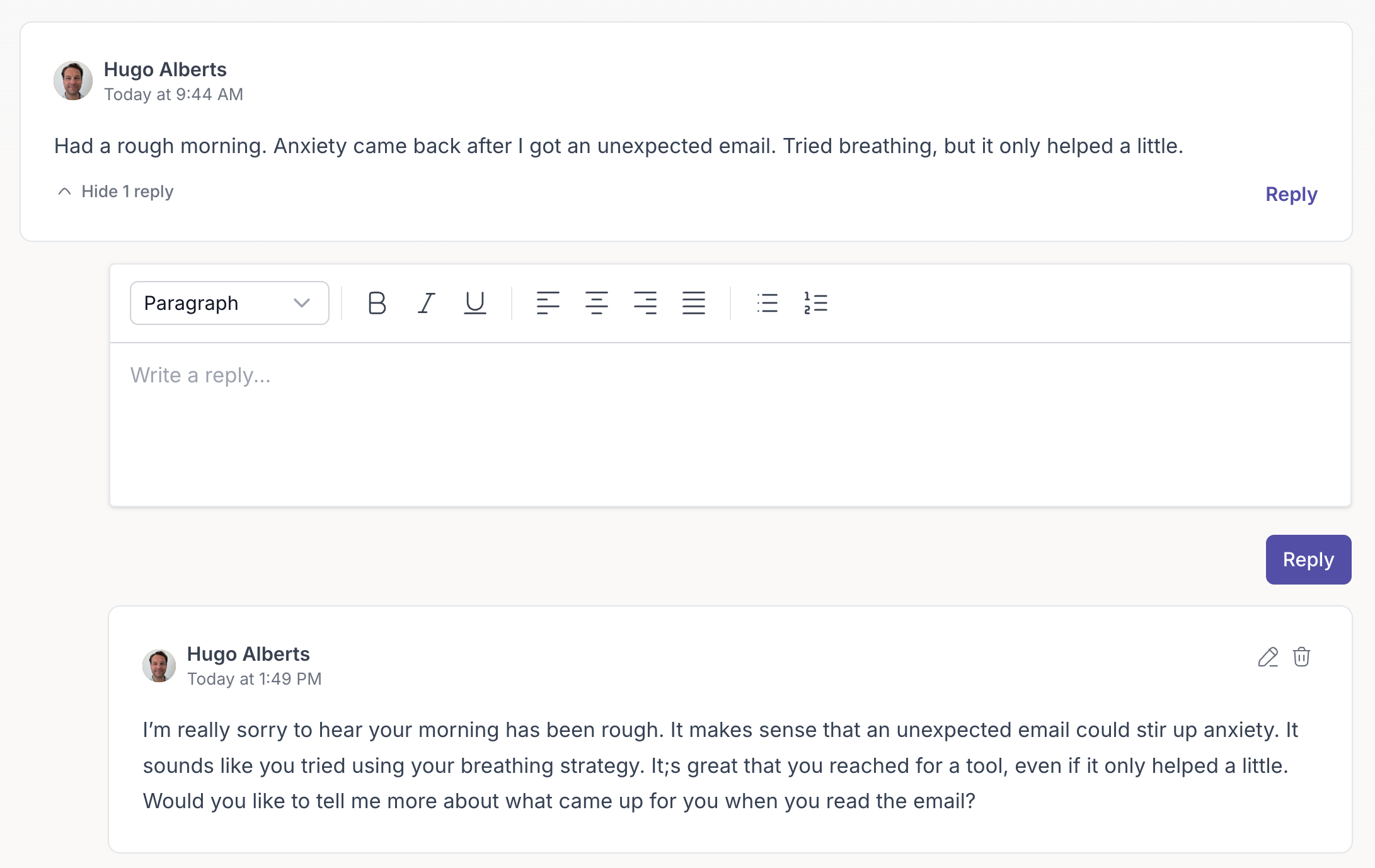
If you want to keep the conversation going within the same thread, use the reply input field that remains visible below the main comment card. Every new reply in this field stays neatly organized in the same comment thread.
Collapsing and Expanding Threaded Comments

When a comment has one or more replies, you can collapse or expand them to make the conversation easier to navigate. To collapse a thread, click Hide X reply/replies on the left beneath the main comment. This will hide all replies in that thread.

To expand it again, click Show X reply/replies to reveal the full conversation.
This allows you to control how much of the thread you see, making it easier to focus on the comments that are most relevant to you.