
Deleting Your Quenza Account
Your Quenza login is a personal account that can belong to more than one workspace, so deleting a workspace and closing your account are two different things. Here is what each one does and how to do it.
Delete a workspace
Deleting a workspace permanently removes its team members, clients, activities, programs, notes, and related data, and cancels its subscription if one is active. Your personal account stays active, and only the workspace Owner can do this.
- In the sidebar under Administration, click Workspace.
- On the General tab, scroll to Delete Workspace.
- Read the warning, then click Delete Workspace and confirm.
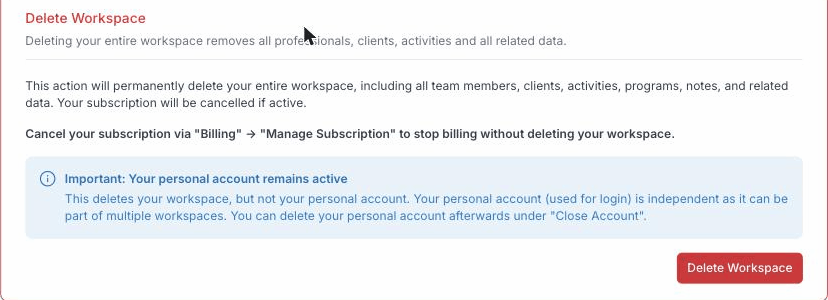
If you only want to stop billing without losing your data, cancel your subscription in the Billing Portal instead.
Close your personal account
Closing your personal account removes your profile from every workspace. This is not a self-service action yet: open the My account menu and select the Close account tab, where a Learn more link explains that the Quenza team will remove and delete your data for you. Reach out to Quenza support to get started, and they will take it from there.