
Cancel Your Subscription
You can cancel your Quenza subscription whenever you like. This article explains how to cancel and what happens afterward.
How to cancel
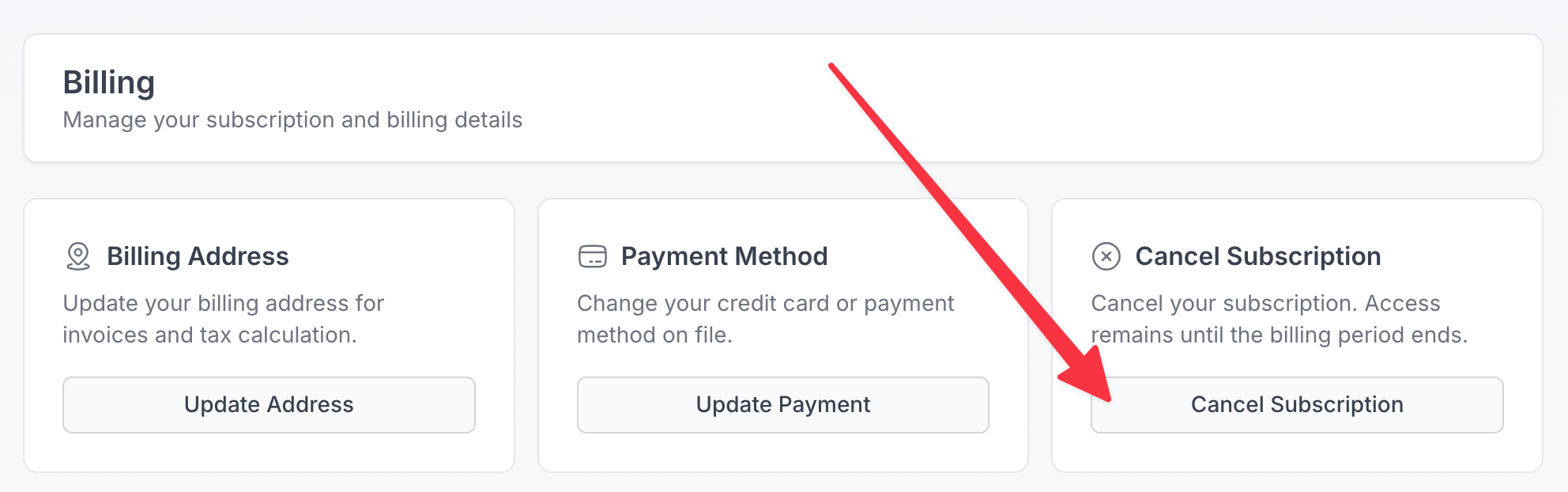
- Open the Billing section of your workspace.
- In the Cancel Subscription card, click Cancel Subscription and confirm.
There is no cancellation fee, and you are not locked into a long term contract.
What happens to your billing
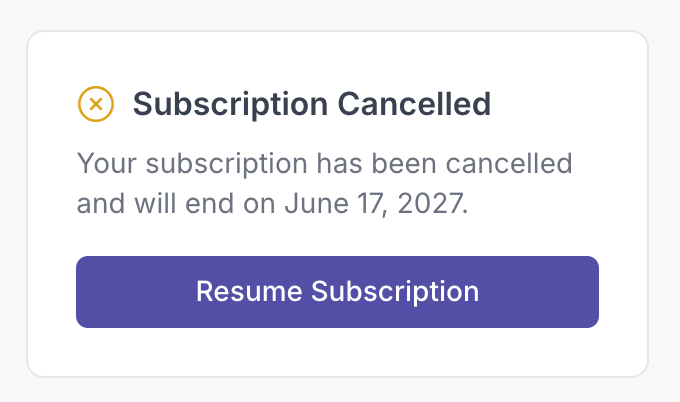
When you cancel, your subscription will not renew. Your access remains until the end of your current billing period, so you keep using Quenza for the time you have already paid for, and you will not be charged again after that.
What happens to your data
Canceling does not immediately delete your workspace data. Your clients, activities, programs, and other content remain in your account. If you decide to come back, you can subscribe again and continue where you left off.
Stopping billing without losing your workspace
If your goal is simply to stop paying rather than to close everything down, canceling your subscription stops future charges while keeping your workspace and data in place. You can resubscribe later whenever you are ready.
Need help?
If you are thinking about canceling because something is not working the way you expected, reach out to our support team first. We are happy to help you find a solution or the right plan for your needs.