
Add a Team Member
Need to bring a colleague into your workspace? You can invite them by email and set exactly what they are allowed to do.
You will need Owner or Manager permission, plus an available team-member seat. If your seats are full, add one under Billing first.
- In the sidebar under Administration, click Workspace, then open the Team tab.
- Click + Team Member.
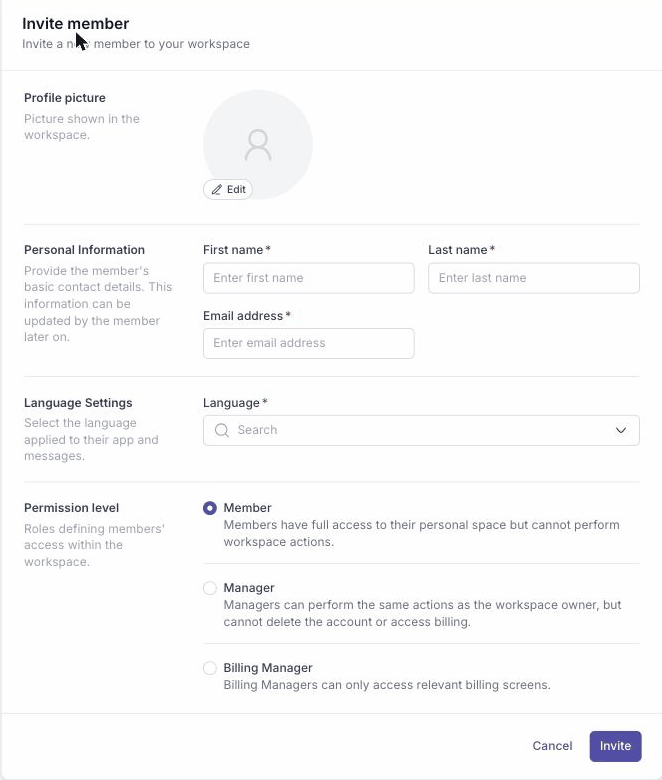
- In the Invite member form, enter their first name, last name, email address, and language, then choose a Permission level:
- Member: full access to their personal space, but cannot perform workspace actions.
- Manager: the same actions as the owner, but cannot delete the account or access billing.
- Billing Manager: access to billing screens only.
- Click Invite.
The new member shows up in the Team list with a Pending status until they accept the invitation emailed to them.