
Manage Your Notification Preferences
Quenza can email you about what is happening in your workspace and about product news. You decide how much of that you want.
- Click your workspace name at the top left, then click My settings.
- Open the Notifications tab.
- Under General Notifications, turn Enable notifications via Email on or off, then click Save.
- Under Updates from Quenza, turn product and onboarding emails on or off, then click Save.
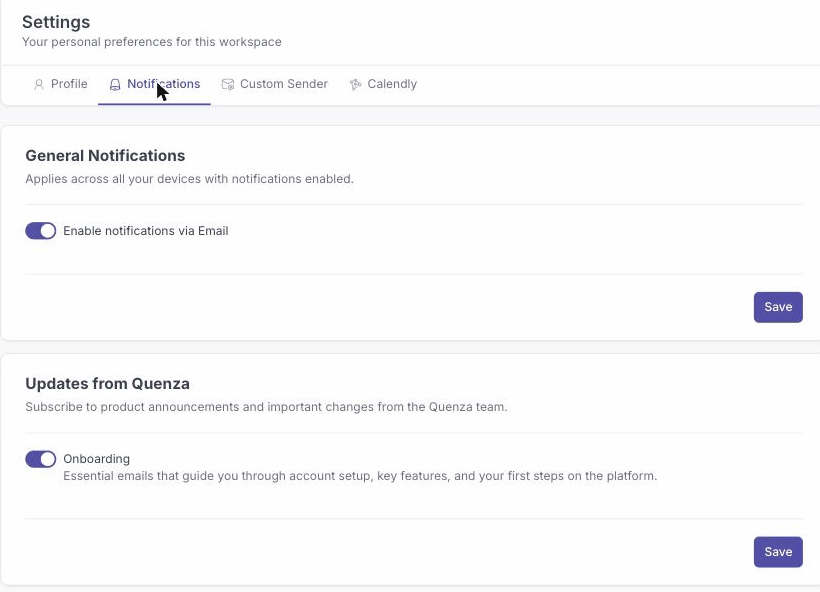
Your email preferences are updated. General notifications apply across every device where you have notifications enabled.